
How to Verify Any Xiaomi Smartphone (Real vs Fake Official Check)
Counterfeit smartphones frequently clone external chassis details and flash modified ROMs that report fake specifications. Use this official, database-backed method from Tech Mash to guarantee your Xiaomi, Redmi, or POCO handset is genuine.
⚡ Quick Resources & Shortcuts
YouTube Viewer ShortcutArrived from our YouTube video? Here is the quick-reference cheat sheet for this walkthrough:
📍 Phone Dialer Code:
*#06#
📍 Official Links & Tools:
- Official Authentication Portal: http://www.mi.com/verify/#imei_en
- Required Identifiers: 15-digit IMEI or 12-digit Serial Number (S/N)
Step 1: Retrieve Your Device IMEI and Serial Number (S/N)
Every legitimate Xiaomi handset has a unique identifier registered on Xiaomi's factory production servers.
- From the Retail Packaging: Look at the barcode sticker on the back or bottom edge of the box to locate the IMEI (15 digits) and S/N (12 digits separated by a slash).
- Directly from the Phone: Open the Phone dialer app, enter
*#06#, and note down IMEI 1. - From System Settings: Navigate to
Settings → About Phone → All Specs → Statusto confirm the on-screen numbers match the packaging sticker.
Step 2: Open the Official Xiaomi Verification Portal
Always query Xiaomi's direct database rather than generic verification engines.
- Open any web browser on your PC or smartphone.
- Go to: http://www.mi.com/verify/#imei_en
- Ensure the tab is set to Verify your phone purchase.
Step 3: Submit IMEI / S/N for Database Verification
Submitting the exact digits queries the central factory production records.
- Enter your 15-digit IMEI or Serial Number (S/N) into the primary input box.
- Type the dynamic CAPTCHA security characters into the adjacent text field.
- Click the orange Verify button.
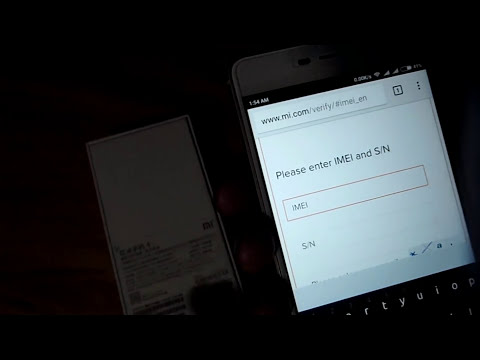
Step 4: Analyze the Verification Result
Review the returned response carefully to verify your model and region authenticity.
- Official Genuine Result: A green checkmark appears displaying the exact commercial device name (e.g., Redmi Note series / Xiaomi 13 / POCO), memory configuration, and color. This confirms the device was manufactured by Xiaomi.
- Counterfeit / Unlisted Result: A red prompt stating "The IMEI or S/N you entered doesn't exist, please verify and try again" indicates an unverified, cloned, or counterfeit unit.
Step 5: Avoid Unreliable Third-Party Verification Tools
Cloned phones run modified kernels designed to deceive hardware testing software.
- Do not rely solely on APK verification tools like older AnTuTu Officer or unofficial Mi Verification apps.
- Counterfeit manufacturers spoof build properties (
build.prop) to report fake CPUs and RAM sizes inside benchmarking apps. - Always prioritize the official browser-based IMEI verification method shown above.
Summary & Verdict
Verifying your phone using Xiaomi's authentic product database at mi.com/verify is the fastest and most foolproof way to avoid counterfeit hardware. If your box IMEI does not match your dialer code (*#06#) or fails to resolve on the portal, contact your seller immediately for a refund.