
Xiaomi Redmi 4 Prime Charging Time Test: Complete 0% to 100% Benchmark Guide
The Xiaomi Redmi 4 Prime packs a massive 4,100 mAh battery paired with the power-efficient Qualcomm Snapdragon 625 processor. In this full benchmark by Tech Mash, we test the exact charging speed and duration required to take the device from completely dead (0%) to full capacity (100%) using the stock Xiaomi wall charger and original micro-USB cable.
⚡ Quick Resources & Shortcuts
YouTube Viewer ShortcutArrived from our YouTube video? Here is the quick-reference cheat sheet for this walkthrough:
📍 Test Configuration Path: 0% Depleted State → Original 5V/2A Adapter → Factory Micro-USB Cable → Ambient Temp ~24°C
- Device: Xiaomi Redmi 4 Prime (Snapdragon 625 Edition)
- Battery Capacity: 4,100 mAh (typical) / 4,000 mAh (rated) Li-Po
- Stock Charger Output: 5.0V ⎓ 2.0A (10W Standard Charge)
- Total Measured Charging Time: Approx. 2 hours 45 minutes to 3 hours (0% to 100%)
Hardware & Test Parameters
To achieve an accurate, real-world benchmark, the test is performed under strict conditions:
- Discharge State: Device completely drained until it auto-powers down at 0%.
- Charging Gear: Original Xiaomi OEM 10W wall block (model MDY-08-EF) and stock micro-USB data/power cable.
- Thermal Environment: Maintained in a room-temperature environment (approx. 23°C–25°C) on a non-conductive, flat surface to prevent thermal throttling.
- Status: Phone charged in standby mode with background syncing minimized.
Step 1: Connecting and Initiating the Charge Cycle
Connect the micro-USB cable firmly into the charging port located at the bottom of the Redmi 4 Prime. Immediately start the digital stopwatch upon seeing the battery charging animation on the display.
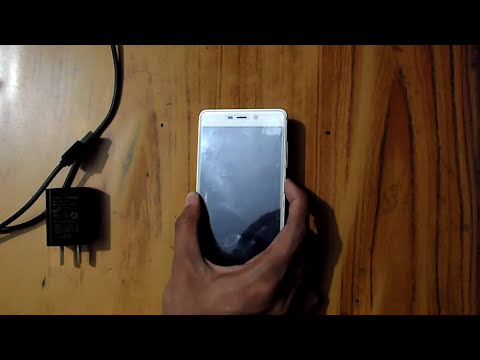
During the initial 15 minutes, the phone accepts power at its peak 5V 2A rate (drawing close to 9.5W to 10W of sustained energy). The low-battery trickle-charge phase ends within the first few percent, allowing standard high-rate transfer to commence.
Step 2: Tracking Milestone Charging Progress
Monitoring the charge curve reveals how the internal Power Management IC (PMIC) regulates power intake as the voltage rises:
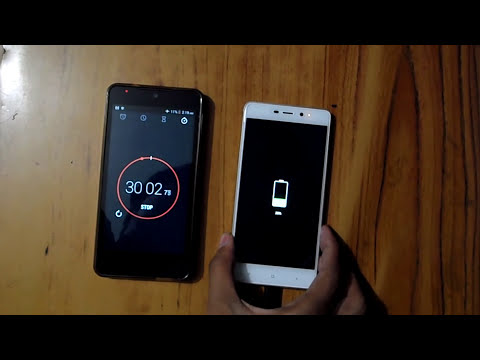
| Time Elapsed | Battery Percentage | Charging Phase |
|---|---|---|
| 15 Minutes | ~12% – 14% | Constant Current (Fast) |
| 30 Minutes | ~24% – 26% | Constant Current (Fast) |
| 60 Minutes (1 Hour) | ~48% – 52% | Constant Current (Mid-cycle) |
| 90 Minutes (1.5 Hours) |
🎬 Watch the Full Step-by-Step Video Walkthrough |